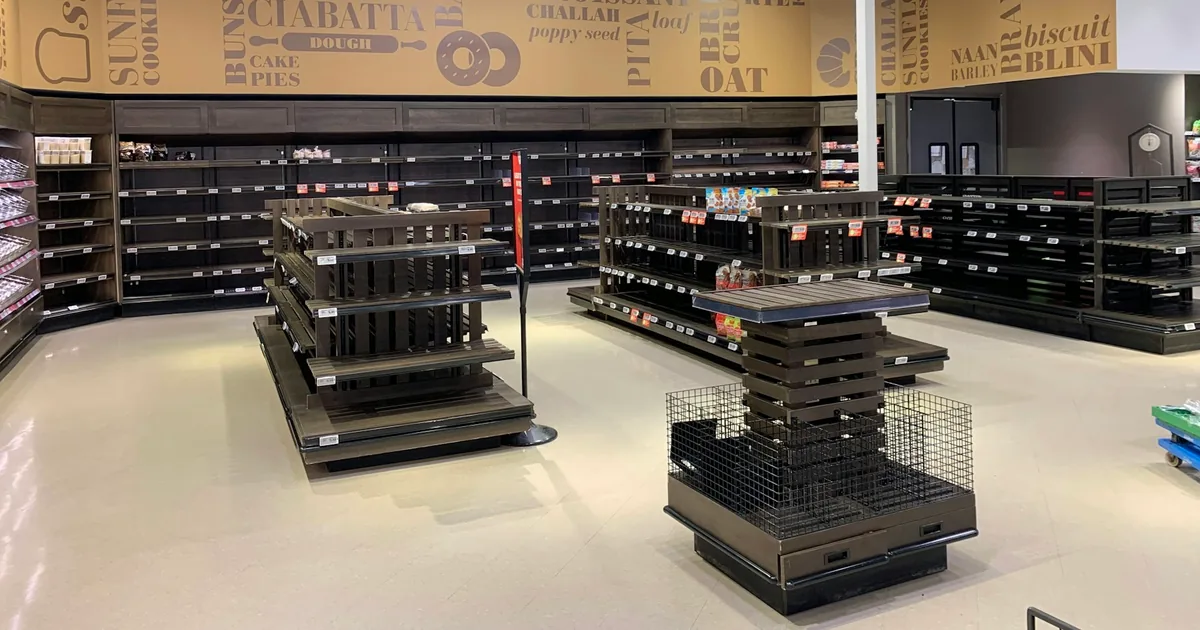
Out-of-stock product SEO starts with the product's future and the page's purpose. A temporary shortage, a discontinued model with useful documentation and a removed item with no replacement are different situations. They should not all trigger an automatic redirect, noindex rule or deletion simply because the inventory count reaches zero.
This guide offers a decision process for ecommerce teams, with fictional scenarios and a downloadable review worksheet. It separates ordinary organic page visibility from product-feed eligibility. For broader store structure, use the ecommerce SEO guide. For a platform move, the WooCommerce to Shopify migration guide handles redirect implementation and testing.
Key takeaways
- Keep a useful temporary stockout page available with an honest status.
- Redirect a retired item only when a relevant replacement serves its visitors.
- Review permanent removals separately from useful discontinued-product references.
- Keep variant availability, visible content, structured data and feeds consistent.
Table of contents
- What should you decide before changing the URL?
- Should temporarily out-of-stock pages stay indexable?
- How should product availability data change?
- What if only one product variant is unavailable?
- When does a discontinued product deserve a permanent redirect?
- Can a discontinued product page remain useful?
- When should you return 404 or 410?
- How do you test and monitor an inventory change?
What should you decide before changing the URL?
Determine whether the shortage is temporary, whether a return is expected, and whether the page still answers a real visitor need. Record the evidence behind that decision. An inventory value alone does not explain supplier plans, product compatibility or historical documentation. Ask the merchandising owner before making an SEO rule that permanently changes how the URL behaves.
Download the product availability decision worksheet. Its fictional examples cover temporary shortages, an unknown restock date, partial variant availability, a replacement model and a permanent removal. Replace the examples with your catalog and assign an owner to each unresolved decision. The sheet is a review aid, not an automatic redirect generator.
| Situation | Starting page decision | Required review |
|---|---|---|
| Temporary shortage | Keep useful page returning 200 | Stock message and purchasing state |
| One size unavailable | Keep product and working variants | Variant-specific data and selection |
| Discontinued, useful reference | Consider a clear reference page | Continuing demand and support value |
| Retired with equivalent replacement | Consider permanent redirect | Compatibility and visitor intent |
| Removed, no useful page or replacement | Return a real 404 or 410 | Links, sitemap and feed cleanup |
These are editorial and technical starting points, not universal outcomes. A replacement can be unsuitable even when its name is similar. A discontinued page can remain useful even when the item cannot be ordered. Evaluate the product family, customer questions, links and content before deciding whether the address should continue serving a page.
Keep the stock decision separate from the publication decision. A product can be unavailable for purchase while its description, measurements and support resources remain available. Conversely, a page can return 200 without providing enough useful information to justify retaining it indefinitely. Review both the item's commercial state and the quality of the page the visitor receives.
Should temporarily out-of-stock pages stay indexable?
Usually keep a useful temporary stockout page accessible and accurately describe its availability. Google's Temporarily pause or disable a website recommends preserving useful site content during temporary interruptions and advises against using the Removals tool for out-of-stock products. Retaining a page does not guarantee it will keep the same ranking or rich presentation.
Show the product identity, original specifications and an explicit unavailable message near the purchase controls. If the restock timing is unknown, say that rather than inventing an expected date. Keep support and compatibility details visible. Someone arriving from a product-specific search may be checking a measurement, comparing a model or verifying a part they already own.
Offer a stock notification when the business can operate it reliably. Make its purpose clear and avoid implying that signing up reserves inventory unless it actually does. If alternatives exist, explain why they are relevant and where they differ. A visitor looking for a specific size or compatible replacement should not have to infer that relationship from a generic recommendation carousel.
Don't change the URL, canonical or indexing directive every time stock fluctuates. That adds unnecessary state changes to a page whose identity has not changed. Instead, keep inventory-sensitive data synchronized and make the unavailable experience useful. If you later learn that the item is permanently discontinued, start a separate documented review using the decision process below.
Avoid a robots.txt block as a way to hide an unavailable offer. Blocking crawling also makes it harder for a crawler to observe the updated page. Access, indexing and shopping eligibility are distinct controls. Use the noindex versus nofollow guide when the actual page purpose requires an indexing decision, rather than applying a stock-based blanket rule.
How should product availability data change?
Use the inventory state that accurately describes what the customer can order. Google Merchant Center's Availability attribute distinguishes in stock, out of stock, preorder and backorder. It requires consistency with the landing page and checkout. A label in one feed cannot compensate for conflicting purchase behavior or a different selected variant on the website.
If customers cannot order a temporarily unavailable item, out_of_stock is the relevant feed state. If the store accepts orders for an existing item that will ship later, review the backorder requirements and display the availability date. Preorder concerns products not yet released. Don't choose whichever value seems likely to preserve visibility; choose the value supported by the actual offer.
Structured data should describe the same offer the page presents. Google's How to add merchant listing structured data documents Offer availability values and merchant-listing properties. The following JSON fragment illustrates the availability property only. It is not complete product markup and should not be pasted as a second independent schema block into an existing theme.
{
  "@type": "Offer",
  "availability": "https://schema.org/OutOfStock"
}
Inspect the schema already generated by the platform, theme and apps before editing it. Duplicate offers with contradictory availability can make a correct visible message hard to interpret. Use the product schema guide for the broader markup review, and test the actual rendered offer instead of relying on a screenshot of the product editor.
Record when each system last refreshed. A warehouse update, storefront cache and feed sync can occur at different times. If the data disagrees, identify the responsible source and synchronization step rather than manually changing several outputs without a durable fix. The Shopify product-data mismatch guide shows a related method for tracing price and selected-variant conflicts.
What if only one product variant is unavailable?
Review availability at the variant level when different sizes, colors or configurations can be purchased independently. A sold-out size does not make every size unavailable. Keep available options usable and make unavailable selections explicit. Test the exact URL used by the feed, including any variant selection, rather than opening only the default product page and assuming all offers agree.
For a fictional jacket, imagine medium is unavailable while small and large remain available. The medium offer should not claim that shoppers can purchase it simply because the parent product has some inventory. Likewise, the product page should not disable every size because medium is the default selection. Check both the initial state and what happens after the user changes size.
Google's Product variant structured data describes ProductGroup and variant relationships. Use the pattern appropriate to your platform and existing markup. Inventory changes should flow through that implementation consistently. Do not create separate indexable pages for every variant solely to handle temporary stock differences without a broader URL and content strategy.
Check alternative links for compatibility, market and price. A recommendation that works for a US buyer may not ship to another country. A visually similar part may not fit the same equipment. Explain any difference that affects the purchase decision and verify the destination offer. Useful alternatives support the visitor even when the original product remains unavailable.
When does a discontinued product deserve a permanent redirect?
Consider a permanent redirect when the old page has moved or a genuinely relevant replacement serves its purpose. Google's Troubleshoot Google Search crawling errors distinguishes moved content from removed content without a replacement. The replacement decision should be documented by someone who understands the product, not inferred solely from traffic or shared keywords.
For a fictional water filter, the newer model might use the same fittings and replace the older model directly. Before redirecting, confirm compatibility, included accessories and the information a returning customer needs. Add a clear explanation on the destination if appropriate. A visitor should understand why they reached the new model instead of believing the old item has mysteriously changed.
If the new filter uses different fittings, the relationship is less direct. A retained reference page explaining compatibility and linking to alternatives may serve visitors better than a forced redirect. The purpose is to give an accurate answer to the old product search. A different SKU is not disqualified automatically, but commercial resemblance alone is not enough to establish equivalence.
When a redirect is justified, update internal links and point directly to the final relevant destination. Avoid chaining an old product through several retired models. Check the first HTTP response, final status and visible destination. The 301 versus 302 guide explains the status distinction; the migration tutorial provides a worksheet for the actual mapping and retest.
Do not redirect a temporarily unavailable product to an alternative and then undo the redirect when stock returns. That turns inventory fluctuations into URL moves. Use a useful retained page with clearly labeled alternatives for temporary conditions. Reserve permanent moves for decisions you intend to maintain, supported by the page's purpose and the replacement's relevance.
Can a discontinued product page remain useful?
Yes, when it continues to answer a meaningful product-specific need. A clear discontinued reference can host compatibility notes, dimensions, manuals and replacement guidance. This is an editorial recommendation based on visitor usefulness, not a guarantee of continued indexing. Review whether the page offers real information beyond a sold-out badge and an empty purchase area.
Make the discontinued state obvious near the heading and buying controls. Remove misleading urgency, stale delivery promises and contradictory purchase buttons. Preserve accurate historical information when it helps existing owners, and distinguish it from the current replacement offer. A page that appears orderable but cannot fulfill a purchase creates a worse experience than a transparent reference page.
Treat Merchant Center separately. Google's Availability attribute says permanently discontinued products should be removed from product data rather than kept as temporary out-of-stock items. Removing an offer from the feed is not the same action as deleting a useful reference page from the website. Coordinate both decisions with the merchandising and SEO owners.
Review retained references periodically using actual demand and support value. Assign an owner and a review date rather than an arbitrary universal deletion deadline. An old replacement-part page may remain useful longer than a short-lived seasonal gift. If the useful information later moves to a support resource, reassess whether a relevant redirect can preserve the visitor's path.
When should you return 404 or 410?
Use a real missing or removed response when the product page is permanently gone and there is no useful content or relevant replacement to serve. Google explains how 4xx responses affect indexing in How HTTP status codes affect Google's crawlers. Do not treat every intentional removal as an SEO error requiring a redirect.
Provide a helpful error page with navigation and search, while preserving the correct HTTP status. A page that says the product does not exist but returns 200 can create a soft-404 situation. Test the actual response rather than judging by appearance. A browser screenshot cannot show whether the server returned success or a missing-page status.
Remove obsolete internal links and update the sitemap to reflect the current indexable content. Remove the permanently retired offer from applicable feeds. Keep the old URL in your decision log with its reason and expected status, so a future crawl report does not trigger someone to recreate an irrelevant redirect. Documented removals make ongoing maintenance more reliable.
For Next.js implementations, verify the framework's missing-route behavior rather than assuming the visual error screen determines the status. The Next.js 404 response guide explains streamed and non-streamed cases. The inventory decision still comes first; implementation testing then confirms the route communicates the intended state as accurately as the architecture allows.
How do you test and monitor an inventory change?
Capture the page URL, selected variant, market, timestamp and intended purchase state. Inspect the first HTTP response, visible message, cart behavior, canonical, robots directives and generated offer data. Compare the exact feed item where applicable. Save evidence from each source so the team can distinguish a stale cache from an incorrect inventory decision.
Retest after synchronization finishes and again after the next relevant stock transition. The return-to-stock path matters as much as the unavailable path: a cached sold-out message can prevent purchases even after inventory arrives. Include available-to-unavailable, unavailable-to-available and partial-variant transitions in your checks. These are operational tests, not proof of a ranking effect.
Monitor the affected URLs in Search Console and your store analytics over comparable periods. Separate ordinary organic page performance from Merchant Center item status and revenue. A feed correction can restore eligibility without proving a change in ordinary search position. Conversely, an indexed reference page can remain useful without being an active shopping offer.
Should you noindex every sold-out product?
No. Assess whether the shortage is temporary and whether the page remains useful. A blanket inventory rule can remove product information that visitors still need. Keep the identity and indexing decision stable when appropriate, update the offer accurately and review permanently retired items individually. The worksheet helps record those different situations rather than treating them as one state.
Is there a fixed number of days before deletion?
There is no universal product-page deadline in this decision process. Restock certainty, support value, replacement relevance and page quality differ by catalog. Assign a review date based on the business situation and revisit the evidence. A review date is a reminder to decide, not an automatic instruction to redirect or delete the URL.
Will retaining the page preserve its ranking?
It can preserve a useful accessible resource, but it cannot guarantee a ranking. Availability, competition, relevance and other search factors still matter. Focus on an honest page, consistent offer data and an appropriate URL outcome. For complex catalogs, an ecommerce technical SEO review can turn those decisions into repeatable inventory checks and clear ownership.